
What is an agent harness? A plain-English guide, with everyday examples
If you read about AI coding tools, you keep meeting the word harness. “Claude Code’s harness.” “A better harness beats a better model.” “Build your own harness.” It sounds technical, but the idea is simple, and once you have it, a lot of AI news makes more sense.
Here’s the short version: a model can only write text. The harness is the program around it that lets that text do things. Claude Code, Codex, Gemini CLI, Grok Build and OpenCode are harnesses.
The rest of this post explains that with everyday examples first, then a small technical one.
Where the word comes from
A horse is strong, but a horse in a field doesn’t move your cart. A harness is the straps, collar and reins that connect the horse to the cart and let the driver steer it.
AI works the same way. The model (Claude, GPT, Gemini, Grok) is the horse: lots of power, no direction, no way to touch anything. The harness connects that power to your work, and gives you the reins.
What a model alone can do
On its own, a model does one thing: you give it text, it gives you text back.
Ask it “what’s in my package.json?” and it can’t tell you. It can’t see your computer. It can only
guess, or say it doesn’t know. It can’t run your tests, open a file, or save a change. It writes
words, and that’s all.
So how does Claude Code fix a bug in your project? Not with a smarter model. With a harness.
You’ve already been a harness
Remember helping a relative fix their Wi-Fi over the phone?
You know routers, but you can’t see theirs. So the call goes like this:
- You: “What lights are on?”
- Your aunt looks and reads them out: “The red one’s blinking.”
- You: “Unplug it, count to ten, plug it back in.”
- Your aunt: “Wait, will that delete anything?” You say it won’t. She does it.
- You: “What lights now?” “All green.” “Great, you’re done.”
You’re the model: you know what to do, but you can’t touch anything. Your aunt is the harness: she does what you ask, tells you what happened, and checks before anything scary. Neither of you fixes the Wi-Fi alone. Together you do.
That back-and-forth is called the agent loop, and running it is the harness’s main job.
The harness’s five jobs
1. Hands: tools
The harness gives the model tools: read a file, edit a file, run a command, search the web. The
model can’t use them directly. It writes a request (“run npm test”), and the harness runs it.
Everyday version: your aunt’s hands.
2. The loop
The harness runs the request, hands the result back to the model, and asks for its next step. It repeats until the model stops asking for tools and just answers.
Everyday version: “What lights now?”
3. Rules: permissions
The harness decides what the model may do without asking. Claude Code, for example, asks you before it runs a command or edits a file you haven’t allowed. You say Allow or Deny.
Everyday version: “Wait, will that delete anything?”
4. Notes: instruction files
Every time a model starts, it knows nothing about your project. So the harness reads it a note
first: CLAUDE.md for Claude Code, AGENTS.md for Codex, GEMINI.md for Gemini CLI. That’s
where you write “we use pnpm” or “never touch the legacy/ folder”.
Everyday version: the note on the fridge for the babysitter. Bedtime is 8, no sweets, the cat bites.
5. Memory: the context
A model can only hold so much text at once, called its context. In a long session, the harness
decides what stays in. When it fills up, the harness has the model summarise the conversation so far
and carries on from the summary. Claude Code and Codex call this /compact.
Everyday version: meeting minutes. Nobody remembers the whole three-hour meeting, but everyone can read the one page of notes.
The technical version, in fifteen lines
Here’s the shape every harness shares. This isn’t any real SDK, just the idea, in Python-like code:
messages = [your_task]
while True:    reply = model(messages, tools=TOOLS)   # the model only writes text    messages.append(reply)
    if not reply.tool_calls:               # no tool asked for: it's done        break
    for call in reply.tool_calls:        if needs_permission(call) and not ask_you(call):            result = "The user said no."        else:            result = run(call)              # read a file, run a command...        messages.append(result)
print(reply.text)
And here’s one real-looking trip around that loop, for “the tests fail, fix them”:
- Model: run
npm test. Harness runs it, hands back:expected 3, got 4insum.test.js. - Model: read
sum.js. Harness hands back the file. - Model: change
a + b + 1toa + b. Harness asks you, you click Allow, it saves the edit. - Model: run
npm test. Harness hands back: all tests pass. - Model: “Fixed:
sumadded 1 by mistake.” No tool asked for, so the loop ends.
The model wrote five short messages. The harness did all the actual work.
A real harness does much more around that loop: dozens of tools, subagents, hooks, plugins, skills, and sessions you can resume. Anthropic even offers Claude Code’s as a library: its Agent SDK gives you “the same tools, agent loop, and context management that power Claude Code”. That’s the harness.
Why people say the harness matters as much as the model
Put the same model in two harnesses and you get two different tools. One reads your project’s notes,
the other doesn’t. One has a good file-editing tool, the other rewrites whole files. One asks before
rm -rf, the other doesn’t. Same horse, different harness, different ride.
That’s why each vendor builds its own and tunes it for its own models: Anthropic’s is Claude Code, OpenAI’s is Codex, Google’s is Gemini CLI, xAI’s is Grok Build. Others are built for any model: OpenCode is an open-source harness that connects models from 200+ providers, Claude, GPT and Gemini among them.
So where does Moontors fit?
Moontors is the tool I build, and it isn’t a harness. It doesn’t replace any of the above. It runs each vendor’s own harness, as the vendor ships it: Claude Code’s own command-line agent on your Claude subscription, Codex on your ChatGPT sign-in, Gemini CLI, Grok Build and OpenCode, each with your own settings, skills and MCP servers.
What Moontors adds is the place to run many of them at once, which is called an agentic development environment (ADE). Back to the phone call: if every agent is a helper on a call, Moontors is the switchboard.
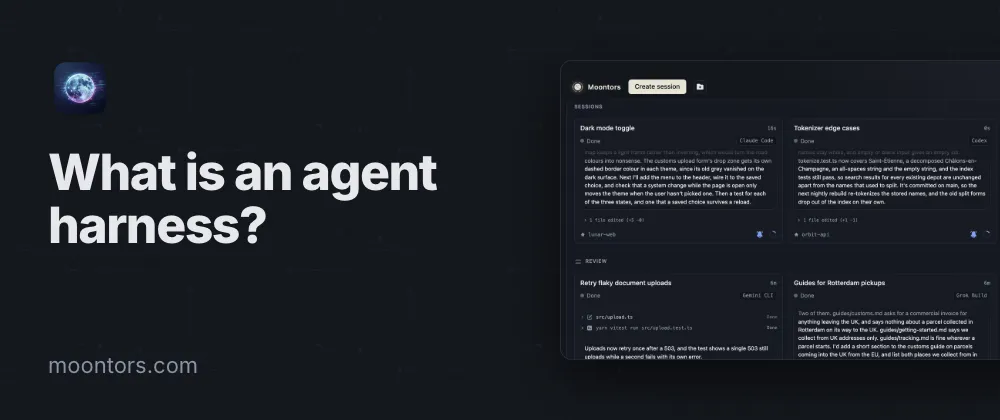
- Every session on one board. Each agent is a live card, its work streaming as it goes, with the ones waiting for you counted at the top. See Sessions and the board.
- Calls that don’t drop. Sessions keep working when you close the window. See Keep agents running.
- Helpers who talk to each other. A Claude Code session can hand work to a Codex session and hear back. See Sessions messaging each other.
- Their own desks. Each session can work in its own git worktree, so two agents don’t trip over each other’s changes.
- Take a call from anywhere. The phone app follows your sessions and lets you answer them away from your desk. It’s on Google Play now, and the iPhone app is coming soon.
It’s free, with no Moontors account, on macOS, Windows and Linux.
Cheat sheet
| Word | Everyday version | In coding agents |
|---|---|---|
| Model | The horse; the expert on the phone | Claude, GPT, Gemini, Grok |
| Harness | The straps and reins; your aunt with the router | Claude Code, Codex, Gemini CLI, Grok Build, OpenCode |
| Tool | Her hands | Read a file, edit a file, run a command |
| Agent loop | “What lights now?” | Ask for a tool, get the result, ask again |
| Permission | “Will that delete anything?” | Allow or Deny |
| Instruction file | The note on the fridge | CLAUDE.md, AGENTS.md, GEMINI.md |
| Context and compaction | Meeting minutes | /compact |
| ADE | The switchboard | Moontors |
Next time someone says “it’s the harness, not the model”, you’ll know what they mean: the model knows what to do, and the harness is how it gets done. And once you’re running more than one, that’s what Moontors is for: every agent, as its vendor ships it, on one board.
AI did the writing, I did the reading, and we both took credit.