
Agentic development environment
Many agents. Every project. One board.
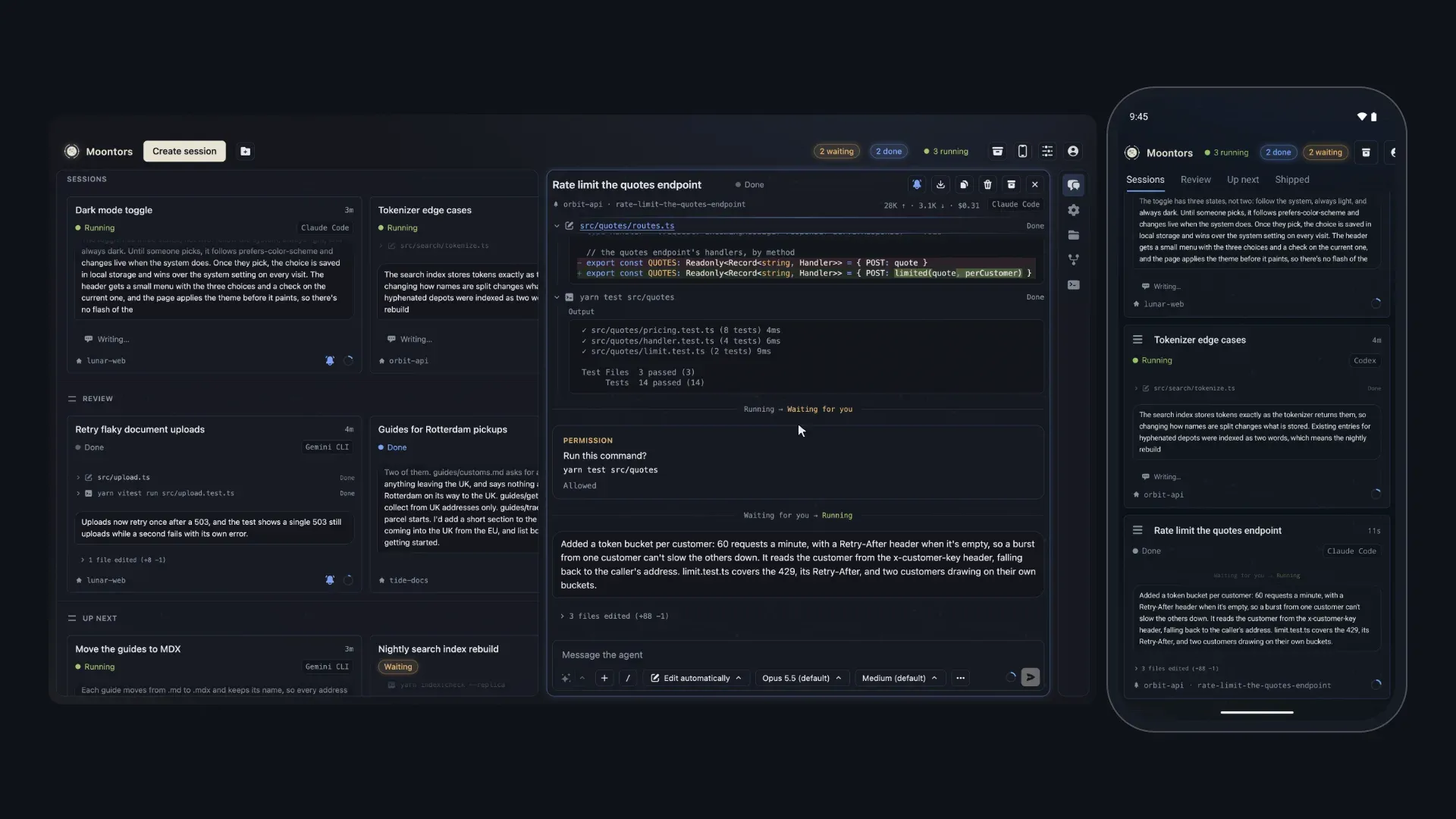
Run Claude Code, Codex, Gemini CLI, Grok Build and OpenCode side by side, across all your projects, and see where each one stands at a glance. Moontors is built around your agents, not your files: the work has moved on from writing code by hand, which IDEs like VS Code and Cursor were built for. Free for macOS, Windows and Linux, with an app for your phone that takes your agents with you.
 Coming soon

- Free
- No Moontors account needed
- Bring your own agent plans or API keys
Key features
Why Moontors
- Close the app, agents keep running: they run in a background service, not the window.
- Phone companion: follow every session, answer permissions and reply from your phone.
- Sessions message each other, across agents: a Claude Code session can hand work to Codex and hear back.
- One-click rephrase: refine your prompt before sending.
- Shortcuts that start a session in a click or two: add a folder as a project, then pick the agent and the branch or worktree from its button.
Many agents at once
- Five agents, one board: Claude Code, Codex, Gemini CLI, Grok Build and OpenCode side by side.
- Your own plans or API keys, your own setup: your MCP servers, skills and commands apply.
- A worktree per task: several agents on one repo without collisions, with the untracked files you list copied in.
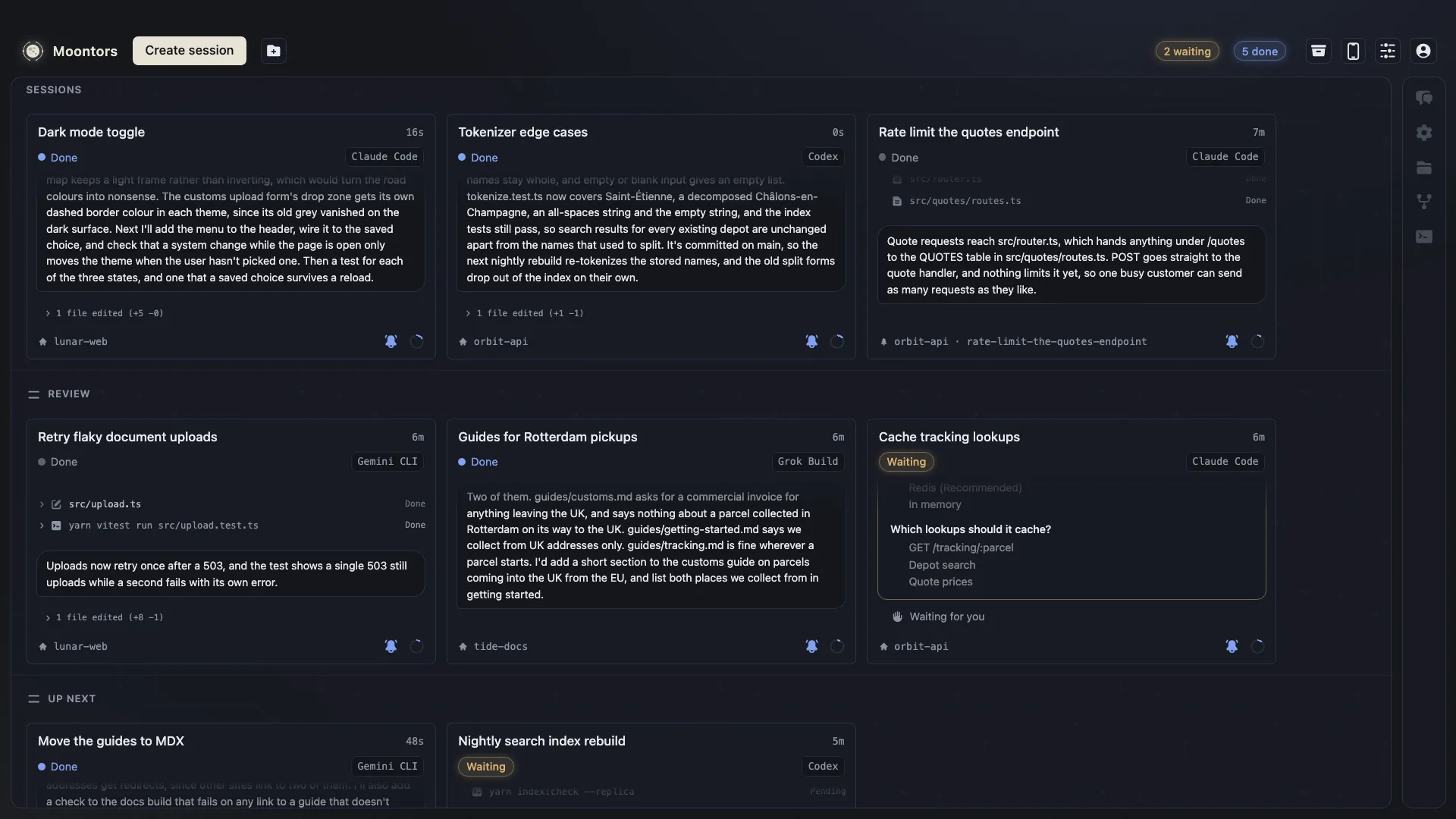
- See what needs you at a glance: waiting, errors and finished work you haven't looked at, counted at the top.
- The board on a second screen: every session's card on one display, the session you're in on the other.
- Get notified when work finishes: for a single session or when a whole group is done.
- Usage limits before you hit them: a ring beside your profile from 75% of a plan's limit, for Claude Code, Codex and Grok Build plans.
Talking to agents
- Reply to any line of the transcript: the agent knows what you mean.
- Your typed text waits for you: it stays with its session when you switch, quitting asks first, and Up and Down bring back past messages.
The code
- A live Git graph: each agent's commit appears as it lands, with merge, rebase and cherry-pick from right-click menus.
- Review hunk by hunk: stage or discard each change, then commit what you keep, right there.
- An editor that follows the agent: your open file updates, and it asks instead of overwriting when you've both changed it.
- Terminals that keep running: in tabs, per working folder, shared by every session working there.
Trust and price
- Free, with no Moontors account needed.
- Your sessions stay on your computer: the phone connects directly over your network or Tailscale.
Every session on one board
Each session is a live card that streams its agent's work as it happens: Claude Code, Codex, Gemini CLI, Grok Build and OpenCode side by side, sorted into your own sections, with the ones that need you counted at the top. Open any card for the full transcript. With two screens, give the board a window of its own and keep the session you're in on the other.
Talk to agents as you would to people
Reply to any row of the transcript, and the agent knows what you mean. Send while the agent works: Claude Code and Codex take your message in as they go, and Gemini CLI, Grok Build and OpenCode get it once their turn ends. Have the agent rephrase what you've written before you send it. And let your sessions message each other: a Claude Code session can hand work to a Codex session and hear back.

Your sessions on your phone
Pair the phone app with Moontors on your computer once, by the code it shows, then follow every session, answer its questions and permission requests, and reply, wherever you are. It reaches your computer directly, on your network or through Tailscale.

Stay in control of what agents do
When an agent asks to run a command or change a file, its card says it's waiting for you, and a notification tells you which one. Open it to see the command or the file it touches, then Allow or Deny in the transcript. Choose how much each agent may do on its own, from Manual to Bypass.

Watch the repository as agents work
Each session's Git view shows its repository's history as a graph, every branch in a lane of its own and each agent's commit the moment it lands, with any commit's files, blame and history a click away, and any commit found as you type. Check out, branch, merge, rebase, cherry-pick, tag, stash and push from right-click menus; anything that would lose work says what before it runs.

Every file at hand
Files opens the session's folder in a tree beside an editor. Cmd+P or Ctrl+P finds any file by a few letters of its name, images, SVGs and PDFs preview in their tab, right-click menus make, cut, copy, rename and delete files, and the search finds and replaces across the folder.

Review every change
Read what an agent changed hunk by hunk, inline or side by side, then stage or discard each hunk and commit what you keep, right in the Git view. Files opens the session's files in an editor while the agent keeps working: when the agent changes a file you have open, your editor follows, and when you've both changed it, Moontors asks instead of overwriting either.

A worktree for every task
Give a session its own git worktree, a folder of its own on a branch if you name one, with the untracked files you list copied in, so several agents can work on one repository without stepping on each other. Archiving it asks before anything is removed.

Keeps working in the background
Agents run in a background service, not in the window, so they keep going when you close it. While Moontors is open, a notification tells you when one needs you.
Your setup, as it is
Your agents' own settings, MCP servers, skills and commands apply. Moontors changes your configuration files only when you add an MCP server to a project or remove one.
Private by design
No Moontors account needed. Moontors counts how it's used and reports its errors, never your code, prompts or sessions, and you can turn that off; each agent's own usage data follows that agent's settings. Your sessions stay on your computer.
Download Moontors
macOS
Apple silicon or Intel · macOS 13 or later
Apple silicon (.dmg)Intel (.dmg)Windows
x64 · Windows 10 or later
Windows (.exe)Linux
x86-64
Linux (AppImage)Ubuntu and Debian (.deb)Android
Pairs with Moontors on your computer; the iPhone app coming soon.
Coming soon
Moontors is an early preview (0.x). The Windows and Linux builds aren't signed yet, and Windows asks before the first open. On Windows 11, Smart App Control, when it's on, blocks unsigned apps, Moontors among them. How to open it the first time
Pricing
Free
Free
Everything Moontors does on your computer, and the phone app on your network or tailnet. No Moontors account needed.
Pro
$20 a month, or $200 a year
Everything in Free, and for your Moontors account: your phone's notifications, and your phone reaching your computer from anywhere.
Get Pro in Moontors on your computer, with Upgrade on Profile's Subscription tab. Prices are in US dollars, with tax added at checkout. A full refund within 14 days of a first payment: the Refund Policy.
Questions
What is an agentic development environment (ADE)?
It’s where you work with AI coding agents rather than only an editor. You start agents on tasks, follow their progress, answer their questions and permission requests, and review their changes. Moontors does that for several agents at once, from different vendors, in one window.
Does Moontors replace Claude Code, Codex, Gemini CLI, Grok Build or OpenCode?
No. Moontors runs each vendor’s own official agent, so you get the same agent, signed in with your own account and using your own settings, MCP servers and skills, with a desktop app around it.
Is Moontors free?
Yes. Moontors is free to use, with no account. You use your own plan or API key with each agent’s vendor, or a cloud that runs the agent.
What do I need to use it?
An account with the agent’s vendor, or a cloud that runs it: a Claude subscription or an Anthropic API key for Claude Code, a ChatGPT plan or an OpenAI API key for Codex, a Gemini API key for Gemini CLI, a grok.com account or an xAI API key for Grok Build, and for OpenCode, none for its free models or an account with the model provider you use with it; or Amazon Bedrock for Claude Code and Codex, Google Cloud’s Vertex AI for Claude Code and Gemini CLI, and Microsoft Foundry for Claude Code. Moontors itself is free.
Can several agents work on the same repository?
Yes. Each session can work in its own git worktree, on a branch of its own if you name one, so agents don’t step on each other’s changes, and you review and merge each branch as you would anyone’s.
Is there a phone app?
Yes, for Android, on Google Play, and the iPhone app is coming soon to the App Store. It pairs with Moontors on your computer and works on the same sessions: the board, the transcripts, answering questions and permission requests, and replying.
Does Moontors see my code?
No. Each agent talks to its own vendor, to the services and MCP servers you set it up with, and to any site its own tools reach, as it would in your terminal, and Moontors keeps your sessions on your computer. Moontors’ server holds only what an optional Moontors account needs, never your code or your sessions: your phone’s link through its relay, and its notifications, are encrypted so the server can’t read them.